When hospital AI projects stall, it’s usually because clinicians, IT, and administration each expected something different from the system, and no one ever reconciled those expectations. Hospital software projects rarely fail because of technology. The vendor gives a polished demo, management signs off, and a few months later the nurses have quietly gone back to writing in registers.
What helps is writing down the functional requirements first, before a single vendor gets shortlisted. A requirement here is nothing abstract. Watch whether a nurse can chart vitals on one screen, and whether discharge summaries are still being written by hand.
This article lists the core functions that a hospital cannot operate without.
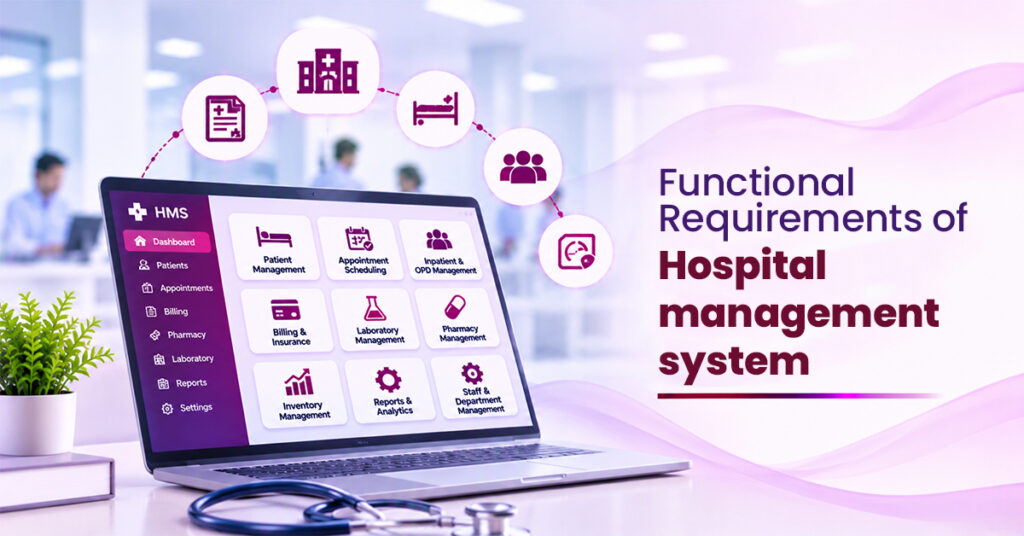
Core Functional Requirements of a Hospital Management System
Patient Registration
Registration takes place at the front desk. The system records the patient’s name, age, gender, contact number, address and emergency contact, and issues a unique patient ID that is used at every later visit.
Duplicate detection deserves particular attention. If a name is spelt differently on a second visit, a new record may be created, and the patient’s earlier history becomes invisible to the treating doctor. Where a drug allergy is on file, this is a clinical risk and not merely an administrative inconvenience.
Appointment Scheduling
Patients should be able to book, reschedule, or cancel appointments, and front desk staff should be able to do the same on their behalf. The booking screen needs to show which slots a doctor still has free and block anyone from double-booking. Walk-ins join the same queue as booked appointments, which means one list for the front desk instead of two.
Automated SMS reminders sent a day in advance are inexpensive to implement and help reduce missed appointments.
Electronic Medical Records
This module carries the most weight with clinicians. Doctors need a single place to enter complaints, diagnoses, prescriptions, vitals, allergies and treatment notes, and to review earlier visits without requesting physical files.
Access must be restricted to authorised personnel. That trail protects the patient, since there’s a clear account of what was done to their record, and it protects the hospital when someone later asks why an entry was altered.
Admission, Bed Management and Discharge
If someone is moved from the general ward to the ICU and back, that history should be visible without anyone having to piece it together from paper notes. A single screen should show which beds are vacant, occupied or awaiting cleaning, so that staff do not have to telephone each ward to find one.
At discharge, the summary should be generated from information already in the record. Re-entering the same details by hand adds work and invites errors.
Laboratory and Radiology
Doctors order tests straight from the consultation screen. The lab sees the order, collects the sample, and enters the result, which lands in the patient’s record without any paper changing hands.
Sample labels and automatic flags for out-of-range values are worth having too. Radiology additionally needs storage of, or links to, scan images.
Pharmacy and Inventory
Prescriptions written in the consulting room should show up at the pharmacy right away, and dispensing one should deduct the stock automatically.
The pharmacy also needs low-stock alerts, batch tracking, and expiry monitoring, because running out of an essential medicine over a bad stock count is a failure.
Billing and Insurance
Consultation fees, investigations, room charges and medicines should all feed into one bill without manual re-entry, as manual billing is the usual source of errors and patient disputes.
The billing module needs to accept different payment modes, print itemised invoices, and handle advance deposits and refunds. It also has to deal with insurance and TPA claims, from pre-authorization through to the final status of each one. That paperwork eats a lot of staff hours, and automating it gives them back
User Roles and Access Control
A receptionist has no need to read clinical notes, and a nurse should not be able to alter billing entries. As part of the functional requirements of hospital management software, the administrator must be able to create user accounts and assign permissions based on individual job roles.
Because patient data is confidential, secure logins and activity logs are essential to maintaining data privacy and accountability.
Reports
Management relies on regular figures: daily patient count, revenue, bed occupancy, doctor-wise workload, and medicine consumption. Good hospital management software should make these reports readily available whenever required, with options to export them to Excel or PDF.
The numbers have to be right first; how they look comes second.
Final Thoughts
Before you buy a hospital system, write down what you actually need from it. The software will only ever be as good as that list. Most hospitals end up needing the same nine things: patient registration, appointments, medical records, bed management, lab and radiology, pharmacy, billing, access control, and reporting. If those are settled up front, the system fits the way your staff already work, and people take it faster.
When you’re weighing something like Ezovion, hold each of those nine areas up against what happens on your wards and at your desks.
The best test is simple. Get the front desk, the pharmacy, and the billing team to work through a real day on the software, using real cases.
Does it handle tasks without hiccups?
Does information move between departments, or does someone end up re-typing it?
If the answer is yes, Ezovion or any other candidate has covered the essentials.