If you’ve ever spent time on a busy clinic floor, you know how much paper follows one patient around. A medical history here, last month’s notes there, a prescription, and a lab report that showed up a day late. When it’s all spread across registers, folders and different systems, tracking down a single detail can take longer than the consultation itself.
EMR software is supposed to be fixed. Records live in one digital place, so they’re quicker to find and easier to keep up to date. The biggest win for doctors is simple: they walk in already knowing the patient’s history.
Not every EMR system delivers that, though. Some fit the way clinicians really work. Others pile on extra screens and click and slow everyone down. Knowing the key features of EMR software is how you tell them apart.
10 Important EMR Software Features Worth Looking For
1. One Central Place for Patient Records
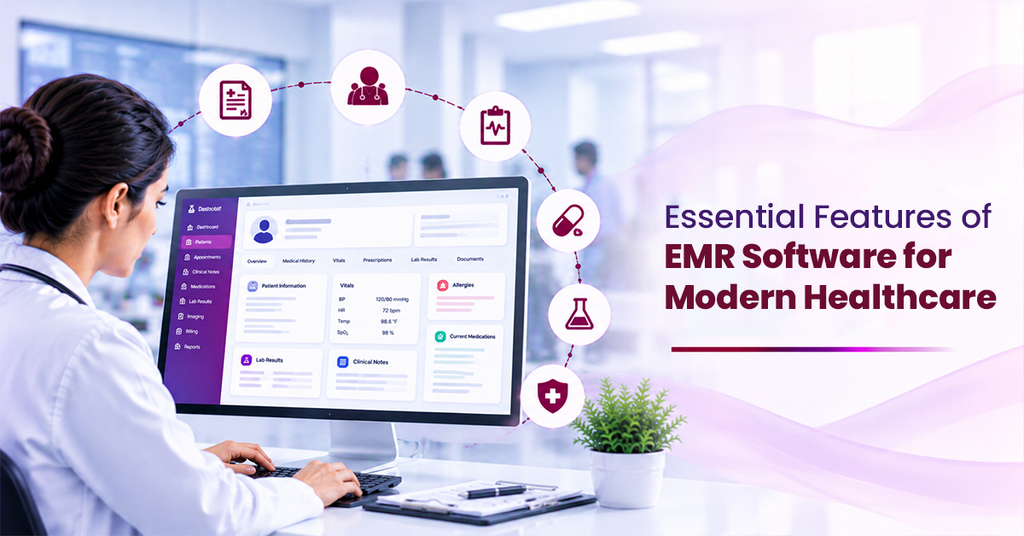
A single patient file can hold personal details, past consultations, diagnoses, prescriptions, allergies, and test reports. Keep those scattered, and something will eventually get missed.
An EMR system pulls everything into one digital record. Think about how it works now: someone walks to the records room, finds the right register, hopes the page isn’t missing. With an EMR, that’s one search on a screen.
Take a returning patient. Before the examination even starts, the doctor can skim the last visit and the earlier treatment, so nobody has to ask the same questions twice.
2. Medical History and Clinical Notes
Good documentation is the backbone of good care. During a consultation, doctors record symptoms, examination findings, diagnoses and treatment plans, and they need to do it without fighting the software.
That history changes decisions. A doctor who can see earlier diagnoses, ongoing treatments and existing conditions is far less likely to recommend something that clashes with what the patient is already going through.
3. Appointment Scheduling
A built-in calendar lets staff book visits, check doctor’s availability, reschedule and keep an eye on what’s coming up, with no more reliance on handwritten appointment books.
Doctors get a clear picture of their day. Patients get a smoother booking process and fewer mix-ups about timings. Reception teams stop playing phone tag to sort out clashes.
4. E-Prescriptions and Medication Tracking
Writing prescriptions is routine, but handwriting isn’t always readable. With e-prescriptions, doctors’ type in the medicine, dose, frequency and duration, and the prescription can be shared digitally.
The system keeps every past prescription on file, so a doctor can check what was prescribed and when, in a couple of clicks. That’s especially handy for people on long-term medication, whose doses get adjusted from time to time.
5. Lab and Diagnostic Integration
Doctors lean on test results all the time, whether to confirm a diagnosis or to check whether a treatment is working. Hunting those reports separately wastes time.
Once the lab is hooked into the EMR software, a test request goes out, and the result lands in the patient’s file when it’s ready. Nobody walks a printout across the hospital.
Say a doctor orders a blood test. The request goes through, the result comes back, and both are waiting in the patient’s file at the next visit.
6. Clinical Decision Support
A doctor has a lot to keep in mind while writing a prescription: the patient’s allergies, what else they’re taking, whether the dose makes sense. Clinical Decision Support (CDS) pops up a warning if something doesn’t add up, like a penicillin allergy or two drugs that shouldn’t be taken together.
None of these replace clinical judgment. If the system flags something and the doctor knows the patient better, the doctor wins. Still, it’s one of those EMR software features that quietly catches mistakes on a rushed day.
7. Follow-Ups and Treatment Tracking
Care doesn’t stop when the patient leaves the room. Plenty of conditions need repeat tests, ongoing medication, or regular check-ins.
Follow-ups are where paper falls apart. A patient on blood pressure tablets might be seen five or six times a year, sometimes by different doctors. In an EMR system, each visit adds to the same record, so whoever sees them next knows what was tried and what happened.
8. Role-Based Access and Data Security
Medical records are among the most private information a person has, so security can’t be an afterthought.
Role-based access controls who see what. A doctor needs clinical records. A receptionist mostly needs registration and appointment details. Neither should wander into data that isn’t part of their job.
9. Reports and Clinical Analytics
An EMR shouldn’t only store data. Depending on the system, you may be able to pull reports on consultation volumes, patient visits, common diagnoses, and treatment activity.
Administrators can use those numbers to see which departments are stretched, where bottlenecks are forming and how to plan staffing and resources.
10. Interoperability
Hardly any hospital runs on a single piece of hospital software. Registration, billing, pharmacy, laboratory and radiology usually each have their own system, and those systems need to talk to each other.
Interoperability lets the EMR software exchange information with your HMS software and other tools, so staff don’t have to key in the same details again and again.
Final Thoughts
Whichever EMR system features you pick, it must follow the patient’s whole journey, from registration and consultation through diagnosis, prescription and follow-up.
Centralized records, solid clinical documentation, e-prescriptions, diagnostic links, strong security and useful reporting make up the core features of EMR software.
If you’re comparing options, Ezovion is one to look at. It’s built around connecting a hospital’s clinical and admin work in a single system.