Think about what a mid-sized hospital handles before lunch on a regular weekday. Patients are being registered, a lab is processing dozens of samples, the pharmacy is checking stock against prescriptions, and the billing desk is chasing an insurance claim that bounced last week. Try running that on paper files and a few spreadsheets, and something will slip. Usually it’s a wait time, a wrong entry, or a patient who leaves annoyed.
That is exactly the kind of problem a hospital management system (HMS) is built to prevent. At its core, a hospital management system is software, either a single platform or a set of linked modules, that brings a hospital’s clinical, administrative and financial work together in one place.
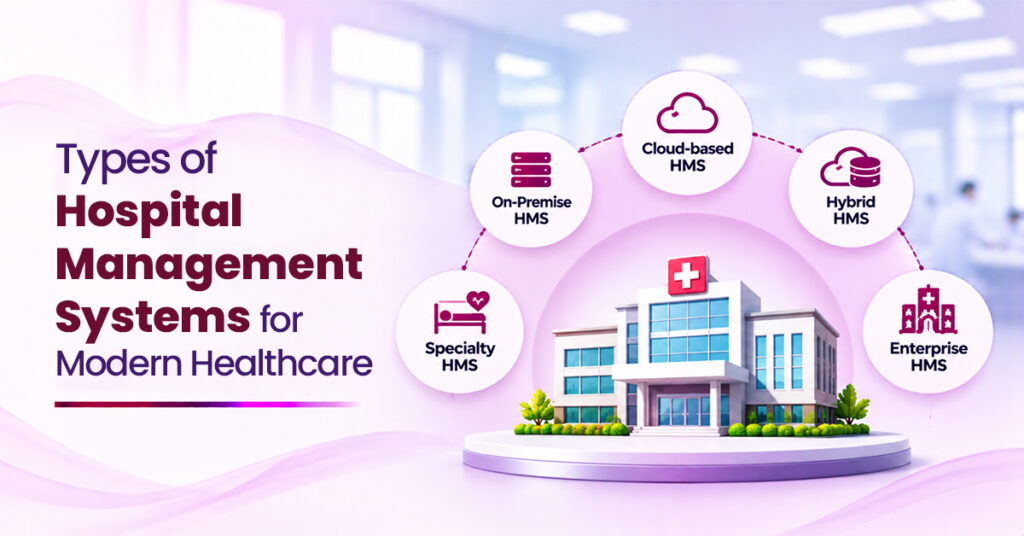
If you’re a hospital leader, you’ve probably wondered what the types of hospital management systems are out there, and which one fits your setup. There are several ways to sort them, so this blog looks at them by what they do, by the level they operate at, and by how they’re hosted.
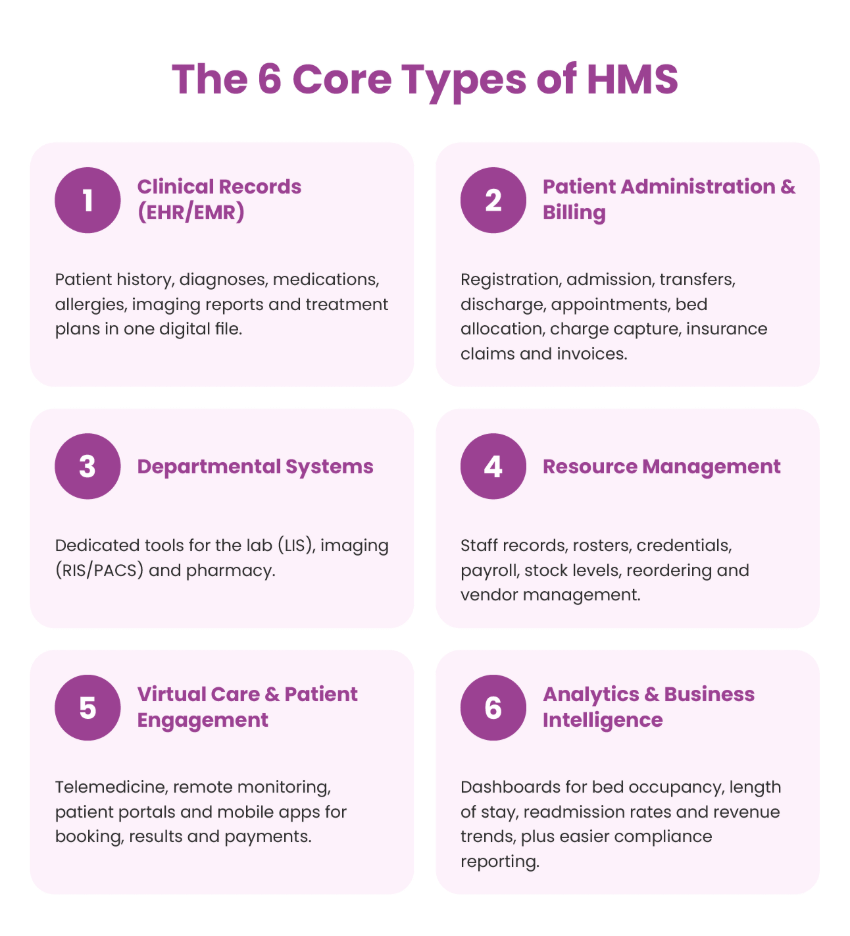
The Six Core Hospital Management System types
Most hospitals end up using a mix of the following.
1.Clinical records systems (EHR/EMR)
Electronic health records bring together a patient’s history, diagnoses, medications, allergies, imaging reports, and treatment plans in one digital file. The usual distinction is that an EMR stays within a single hospital, while an EHR can be shared with other providers, labs, and facilities.
2. Patient administration and billing
This covers the front end of a patient’s journey, such as registration, admission, transfers, discharge, appointments, and bed allocation. It also covers the money side, including charge capture, insurance claims, and invoices.
3. Departmental systems
Labs, radiology and pharmacies each have their own workflows, so they get their own tools like LIS for the lab, RIS/PACS for imaging, and pharmacy software for dispensing. The payoff is practical. Samples get mixed up less, scans reach doctors in seconds, and medication errors drop.
4.Resource management
Here you’ll find staff records, rosters, credentials, and payroll, alongside stock levels, reordering, and vendor management. Hospitals use these to keep shifts covered and to avoid running out of critical supplies at the worst moment.
5.Virtual care and patient engagement
Telemedicine, remote monitoring, patient portals, and mobile apps fall here. Patients can see a doctor online, book slots, check results, and pay bills without calling the front desk, and they tend to stick with their treatment better as a result.
6.Analytics and business intelligence
This layer pulls data from everything else and turns it into dashboards: bed occupancy, average length of stay, readmission rates, revenue trends. It also makes compliance reporting far less painful.
Types by Function
Another way to look at it is by the job each system does for the hospital.
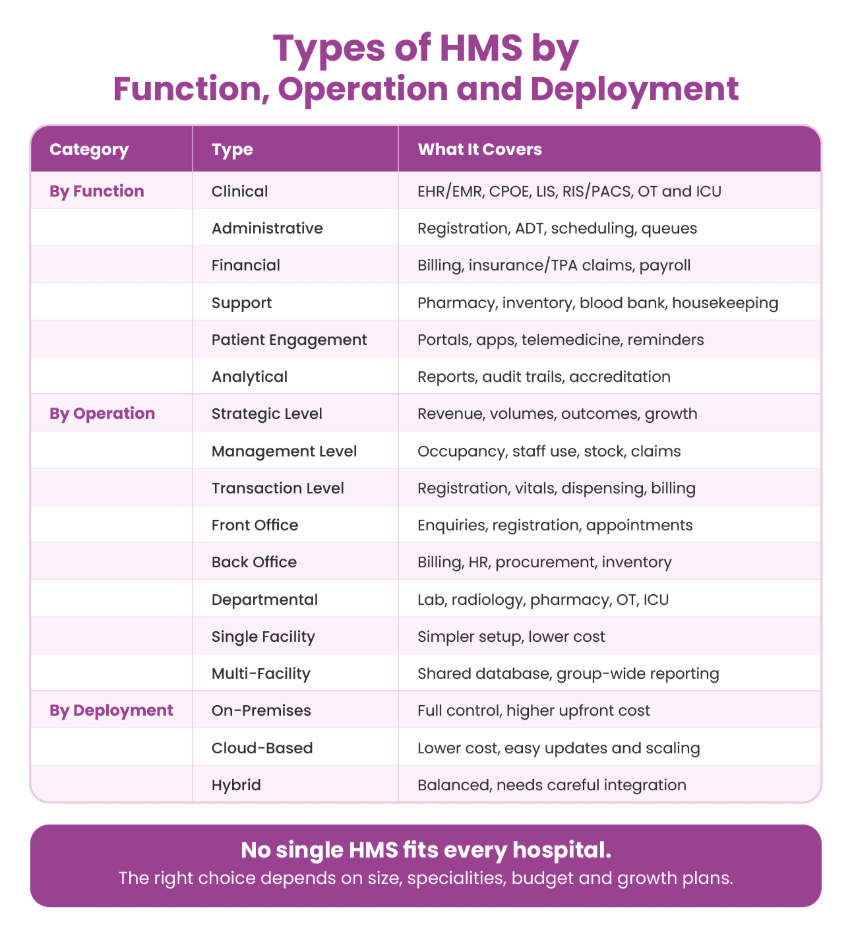
- Clinical systems support doctors, nurses, and technicians as they diagnose and treat. Typical modules are EHR/EMR, computerized physician order entry (CPOE), nursing documentation, LIS, RIS/PACS, and OT and ICU management.
- Administrative systems keep patients moving through the building. Think about registration, admission-discharge transfer (ADT), scheduling, medical records, and queue management.
- Financial systems track the money: billing, insurance and TPA claims, accounts, revenue cycle management, and payroll.
- Support and ancillary systems cover the services that make care possible, such as pharmacy, inventory, blood bank, housekeeping, dietary, biomedical equipment, and ambulance dispatch.
- Patient engagement systems handle communication before, during and after a visit: portals, apps, telemedicine, feedback forms and reminders for appointments and medication.
- Analytical and compliance systems turn raw data into reports, quality indicators, audit trails, and accreditation documentation.
Types by Operation
Here the question is where the system works, and what kind of decision it helps with. A hospital generally needs all three angles below.
By operational level
- Transaction level: The daily grind. Registering patients, logging vitals, dispensing drugs, printing bills. Speed, accuracy and uptime matter most here.
- Management level: Summarises daily activity for department heads, covering bed occupancy, staff utilization, stock consumption and unpaid claims. Managers use it to plan shifts, purchases, and capacity.
- Strategic level: Gives leadership a longer view on revenue, patient volumes, readmissions, clinical outcomes and market growth, which feeds decisions about expansion and new services.
By operational area
- Front office: Anything patients see directly, such as enquiries, registration, appointments, OPD queues, admission and discharge.
- Back office: Billing, accounting, HR, procurement, inventory and insurance processing.
- Departmental: Specialized workflows in the lab, radiology, pharmacy, operation theatre, ICU, emergency and blood bank.
By scale
- Single facility: Designed for one hospital or clinic. Setup is simpler, and costs are lower.
- Multi-facility: Linked specialists to several hospitals or branches on a shared database. This allows central records, common pricing, group-wide reporting, and smooth patient transfers between sites.
Deployment Models
A separate question from what the system does is where it lives. This choice affects cost, control, scalability, and security.
On premises
The software runs on your own servers, looked after by your own IT team. You get full control over data and customization. The trade-off is a big upfront spend on hardware and people, plus ongoing maintenance.
Cloud-based
A vendor hosts it, and you access it over the internet. Upfront costs are lower, updates are easier, and scaling is simpler.
Hybrid
Sensitive data stays on-site while other modules run in the cloud. It’s a good middle path, but the two sides need to be integrated carefully, or you end up with gaps.
Final Thoughts
No single HMS suits every hospital. Most institutions run a blend of EHRs, billing and admin tools, departmental systems like LIS and PACS, pharmacy and inventory software, virtual care and analytics, all connected so they behave like one system.
What’s right for you depends on your size, specialiities budget, and growth plans. Once you know what each type does, it’s much easier to build a setup that makes the hospital run better and, above all, helps patients get good care.
If you’d like these pieces in one flexible platform that can grow with you, Ezovion is built for exactly that.