A growing patient list, overlapping appointments, paper files, manual billing and unanswered follow-ups. Sooner or later, every clinic and hospital outgrows spreadsheets and registers.
That is the point at which administrators begin asking what a modern practice management software should actually do for them, and which capabilities are essential rather than optional.
A well-designed practice management system brings these steps into one place. Instead of treating registration, scheduling, clinical notes and billing as separate tasks, it connects them so that information entered once is available wherever it is needed.
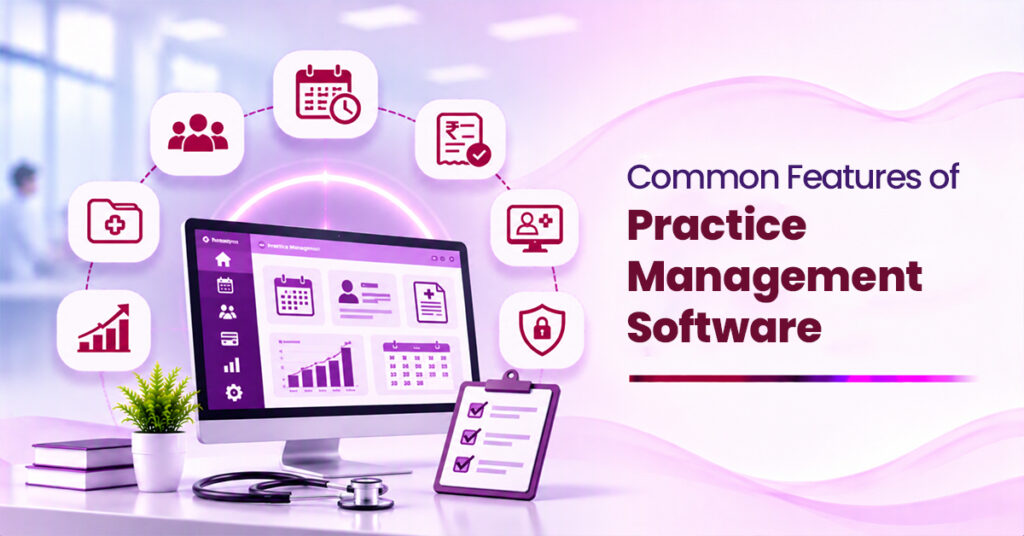
This guide explains the top common features of practice management software, and why each one matters in daily operations.
Top Features of Practice Management Software
Most practice management software offers a similar core set of features, yet the depth and quality of each one can differ widely between vendors.
Below, we explain the six that matter most and what to look for in each. For larger facilities, the same idea extends into hospital software that connects outpatient, inpatient, laboratory, pharmacy and finance workflows.
1. Patient Registration and Demographics
Every encounter starts with accurate patient data. Good registration tools capture demographics, contact details, identification, insurance or payer information and emergency contacts, and assign a unique patient ID.
Clean registration is the foundation of everything that follows. Errors here show up later as billing mismatches, misdirected reminders and fragmented medical histories.
- Duplicate detection to prevent multiple records for the same patient
- Configurable fields for different departments or specialities
- Quick returning-patient search by name, phone number or ID
- Support for multiple languages where your patient base needs it
2. Appointment Scheduling
Ask any front-desk team what eats their morning and the answer is usually the same like the phone, the walk-ins, and a doctor running twenty minutes behind. Scheduling decides how those three collide. A good module lets you set slot lengths for each doctor, keep a few slots free for walk-ins, and move a patient without rebuilding the whole day.
There is no ideal model. A paediatric clinic with a fixed morning rush needs something different from a dialysis unit full of recurring bookings. So check how much you can configure, not how many scheduling styles are listed.
- Separate calendars for each doctor, with slot lengths you can change by visit type
- Walk-ins, follow-ups and repeat visits handled without workarounds
- Rescheduling and cancellation that frees the slot straight away
- Online booking for patients who would rather not call
- Token and queue display at reception
3. EMR and Patient Health Records
Paper files get lost, handwriting gets misread, and finding a patient’s last visit can mean someone walking to a cabinet. An EMR puts the history, examination notes, diagnoses, prescriptions and test orders into one record that the doctor can open in seconds.
Whether it works comes down to the doctor using it. If entering notes takes longer than writing them by hand, doctors will find shortcuts and the data suffers. Ask one of your own doctors to run a full consultation during the demo before you decide.
- Templates by speciality, so a dental case sheet looks different from an orthopaedic one
- Previous visits, allergies and chronic conditions visible the moment a record opens
- Prescriptions with dose and frequency built in
- Access is limited by role, so each user sees only what they need.
4. Billing and Invoicing
Billing is where operational detail turns into revenue. Strong billing tools generate itemised invoices, apply the correct tariffs and track payments across cash, card, UPI and other modes.
Missed charges are a quiet source of revenue leakage. When billing is linked to clinical activity, services performed are far more likely to be billed.
- Service and package-based billing with configurable tariffs
- Discounts, advances, refunds and part payments
- Consolidated billing across consultation, lab, pharmacy and procedures
- Automatic capture of charges from clinical orders to avoid missed billing
- Receipts and invoices that follow your statutory and tax requirements
5. Insurance, TPA and Claims Management
For facilities that treat insured patients, claims workflow is a major administrative load. This feature helps manage payer details, pre-authorisation, document collection, claim submission and settlement tracking.
Visibility is the key benefit. Finance teams should be able to see which claims are pending, for how long, and with which payer.
- Payer-wise rate and policy management
- Pre-authorisation tracking for planned and emergency admissions
- Document storage for claim submission
- Claim status tracking, ageing and outstanding amounts
- Reports on disallowed items and settlements
6. Reporting, Dashboards and Analytics
Administrators cannot improve what they cannot see. Reporting tools turn daily activity into insights on patient volumes, doctor productivity, revenue, collections, outstanding payments and department performance.
Good reports support decisions about staffing, scheduling, pricing and service expansion, rather than simply recording what has already happened.
- Real-time dashboards for owners and administrators
- Standard reports for appointments, billing, collections and claims
- Filters by doctor, department, date and payer
- Export options for audits and management reviews
Final Thoughts
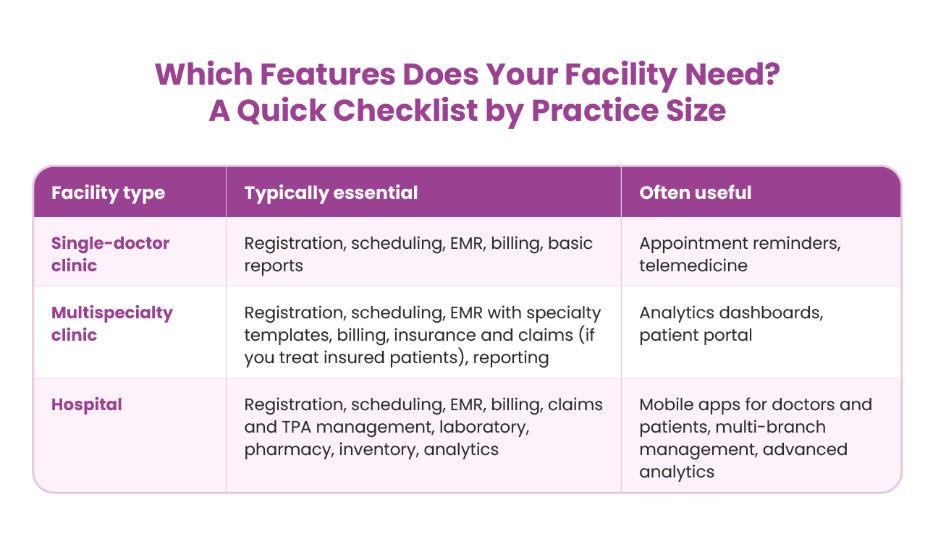
Don’t choose module count. A shorter list that your receptionist, doctors and accountant all use properly is better than a long one nobody has time to learn.
Before you shortlist anything, spend an afternoon noting where your staff lose time and where revenue slips away like double entries, missed charges, no-shows, claims nobody is chasing.
Then take those problems into the demos. Ask each vendor to show, using your own scenarios, how the common features of practice management software would handle them. What you see in that session will tell you more than any brochure.
Ezovion offers a connected healthcare system that covers outpatient and inpatient workflows, EMR, appointment and queue management, billing, claims management, laboratory, pharmacy and inventory, telemedicine, patient communication, analytics, and mobile access for doctors and patients.